Split a companion shell
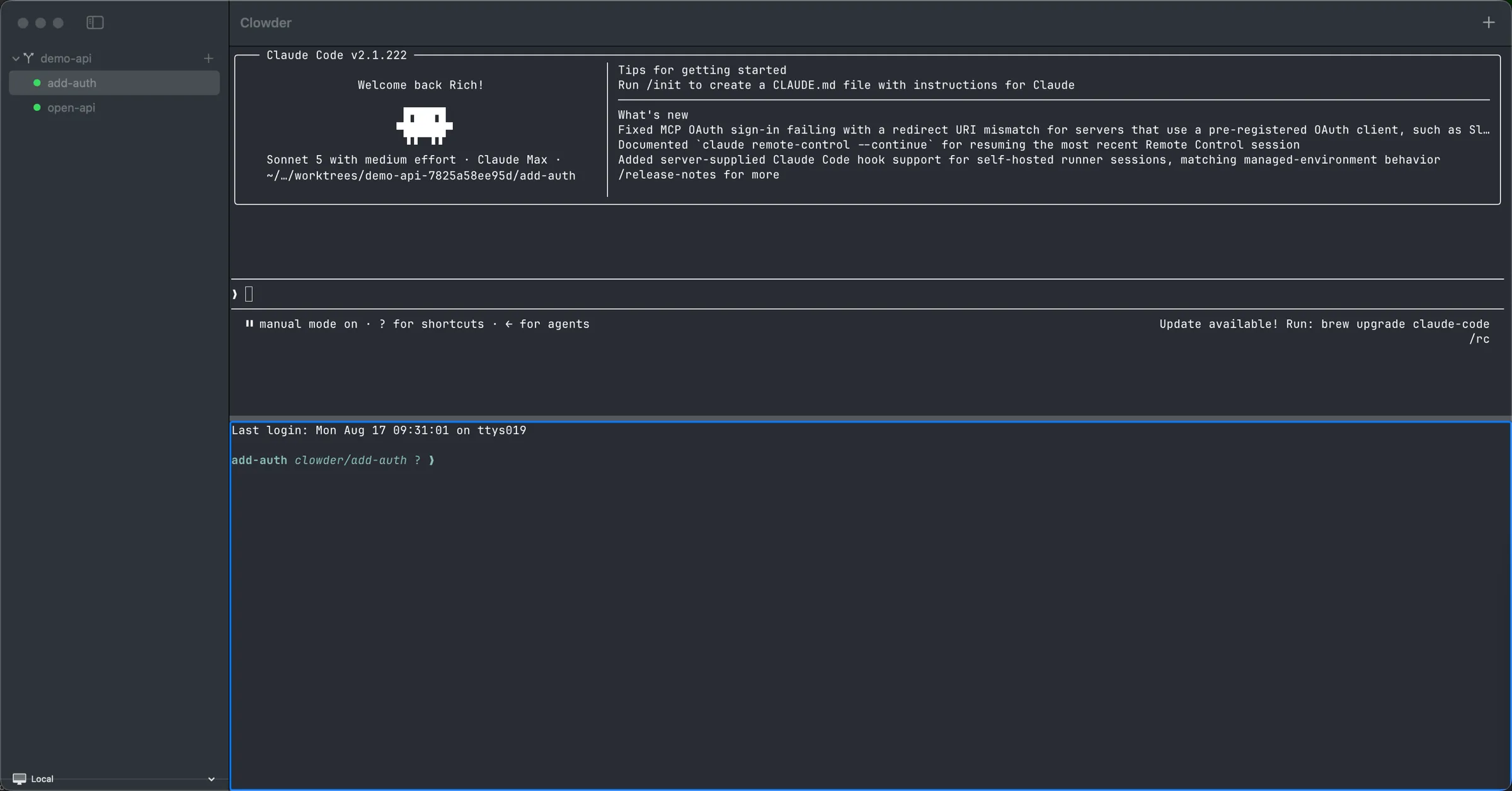
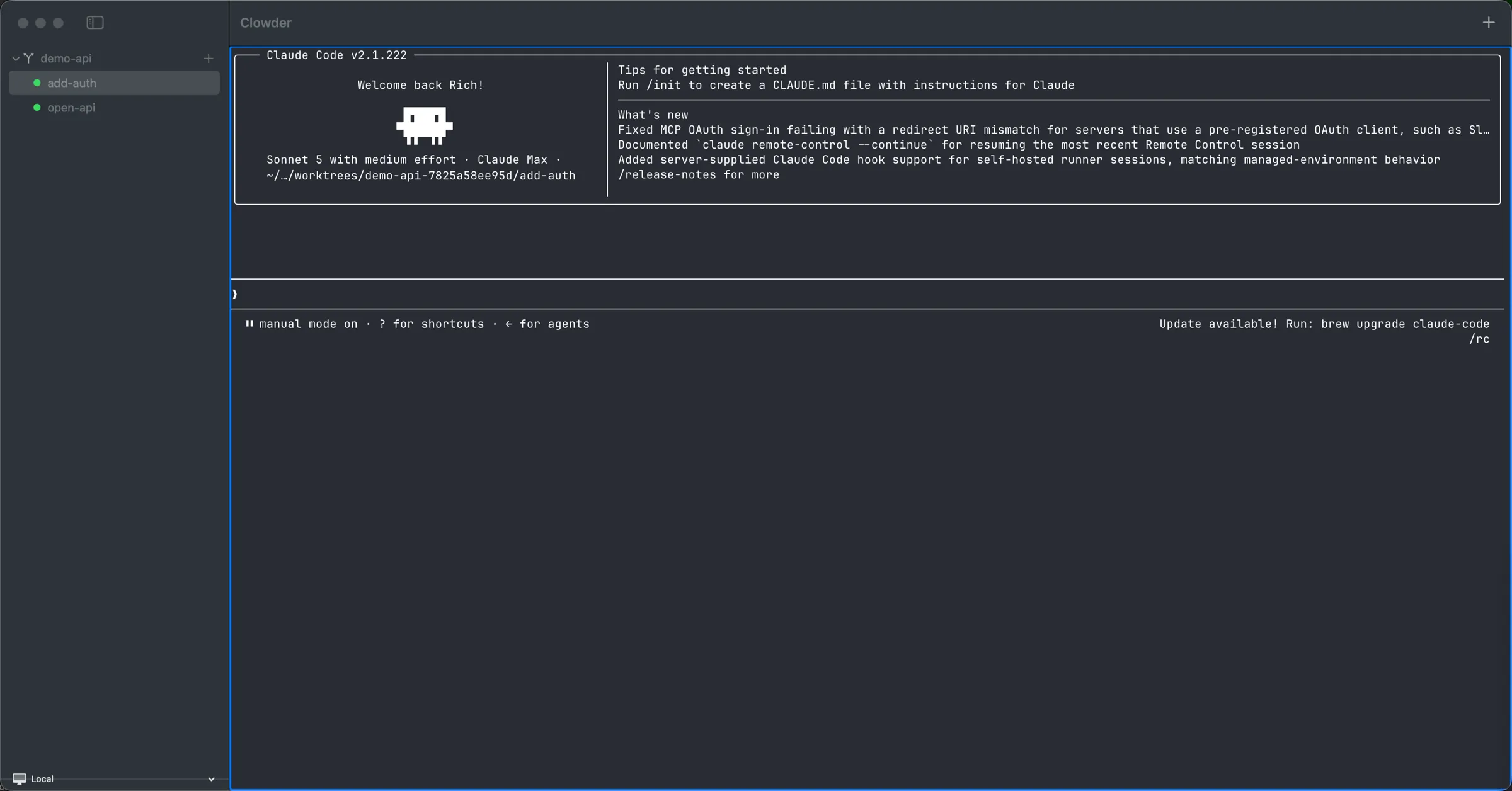
⌘D splits the focused pane and drops you into a shell already rooted in that agent's worktree — same branch, same files. Run the tests yourself while the agent keeps working beside you.
v0.9.0 · macOS
Clowder is a native macOS terminal that orchestrates Claude Code,Codex and plain shell agents — each isolated in its own git worktree — and tells you the moment one needs your attention.
brew install --cask richardcase/tap/clowdermacOS 14+ · Apple silicon · Signed & notarized by Apple · ~20 MB
Why Clowder
Running one coding agent is easy. Running six — without them colliding, and without losing track of which one is blocked on you — is the hard part. That is the whole job Clowder does.
Spawn Claude Code, OpenAI Codex or a plain shell against any git or jj project and drive them all from a single native app. ⌘N picks the project, the task and the adapter.
Every agent gets its own git worktree or jj workspace, auto-detected per project and created outside your repo — so your working tree stays exactly as you left it. Finish with Land to commit and keep the branch, or Discard to throw it away. Both from the UI, both with confirmation.
Native turn-complete hooks for Claude and Codex, plus a VT-signal fallback (BEL, OSC 9, OSC 777) for everything else, drive sidebar badges and a menu-bar count. Stop cycling through terminals to find out who is waiting on you.
An embedded libghostty surface per agent — genuine keys, mouse, IME and resize, not a web view. Split panes with ⌘D, a rebindable command palette on ⌘K, and hotkeys to jump between agents.
A headless daemon owns the agent PTYs, so they keep running while the window is shut. The app launches and supervises its own daemon and reconnects on its own — with bounded backoff — if the connection drops.
Switch backends from the sidebar chip, the menu bar or ⌘K. Moving away from Local detaches rather than kills, so agents on both sides keep running. Add, edit and TLS-pair remote hosts in Settings ▸ Hosts (⌘,).
The bundled clowder command talks to the running daemon, so you can drive the same fleet from a script or over SSH.
clowder spawn <project> <task> [adapter]
clowder attach <pane-id>
clowder remote add|list|show|set|rm
clowder connect <name-or-host:port>A closer look
⌘D splits the focused pane and drops you into a shell already rooted in that agent's worktree — same branch, same files. Run the tests yourself while the agent keeps working beside you.
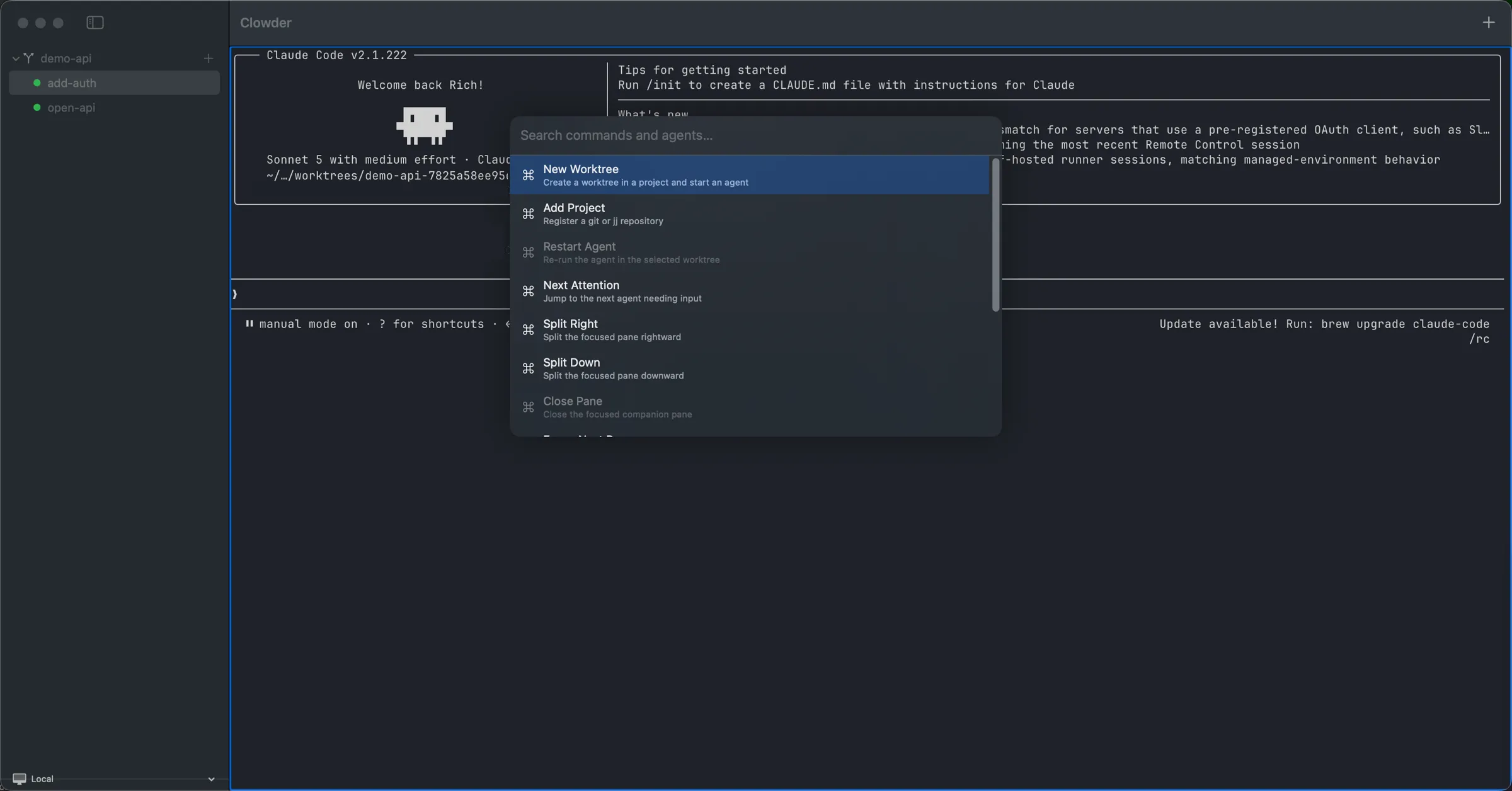
The command palette covers the whole surface: create a worktree, register a project, restart an agent, split a pane — and Next Attention, which jumps straight to whichever agent is waiting on you. Every binding is remappable.
How it works
A headless daemon owns the agent PTYs, the per-agent worktrees, the attention state and the split-pane tree. The macOS app is a client: it embeds a libghostty surface per agent and talks to the daemon over a JSON control socket.
That separation is what lets you quit the window and keep every agent running — and what makes a remote daemon behave exactly like the local one.
Install
Two ways in. Homebrew is the one to use — it keeps you on the latest signed build with a single brew upgrade.
brew install --cask richardcase/tap/clowderInstalls Clowder.app into /Applications and puts the bundledclowder CLI on your PATH. The tap and the cask are public — you do not need any credentials.
Open it and drag Clowder into Applications.
xattr workaround needed.brew upgrade --cask clowderbrew uninstall --cask clowderQuestions
No. Clowder is proprietary and the source repository is private. The app itself is free to install, and the Homebrew tap that serves it is public.
Not yet. The daemon is cross-platform Rust, but the client is a native SwiftUI app, so today Clowder is macOS only.
Claude Code, OpenAI Codex, and a plain shell. You pick the adapter when you spawn an agent. Clowder drives whichever CLI you already have installed and authenticated.
No. Each agent works in its own git worktree or jj workspace, created outside your repository under ~/.local/share/clowder/worktrees. Your checkout is never modified. You can point that somewhere else with [worktrees] base in ~/.config/clowder/config.toml.
They keep running. The daemon owns the PTYs and outlives the window, and the app reconnects when you come back. If the daemon itself restarts — a crash, or an app relaunch — the underlying process does not survive that, but the daemon respawns every agent it had recorded in the same worktree, resumes its conversation, and restores the split layout, so in practice you come back to where you left off rather than to nothing. Resizing a window or pane now reflows the terminal grid correctly, and that size is what gets restored on resume rather than the 80x24 default.
Run brew upgrade --cask clowder. Each final release auto-bumps the cask, so upgrades arrive without you tracking versions.
One command, and your whole fleet lives in one window.
brew install --cask richardcase/tap/clowder